Gym Management · 15 January 2024
Complete Guide to Gym Management Software in Nepal
What gym management software does, which features matter for a Nepali gym, and how to move from registers and notebooks to one system.
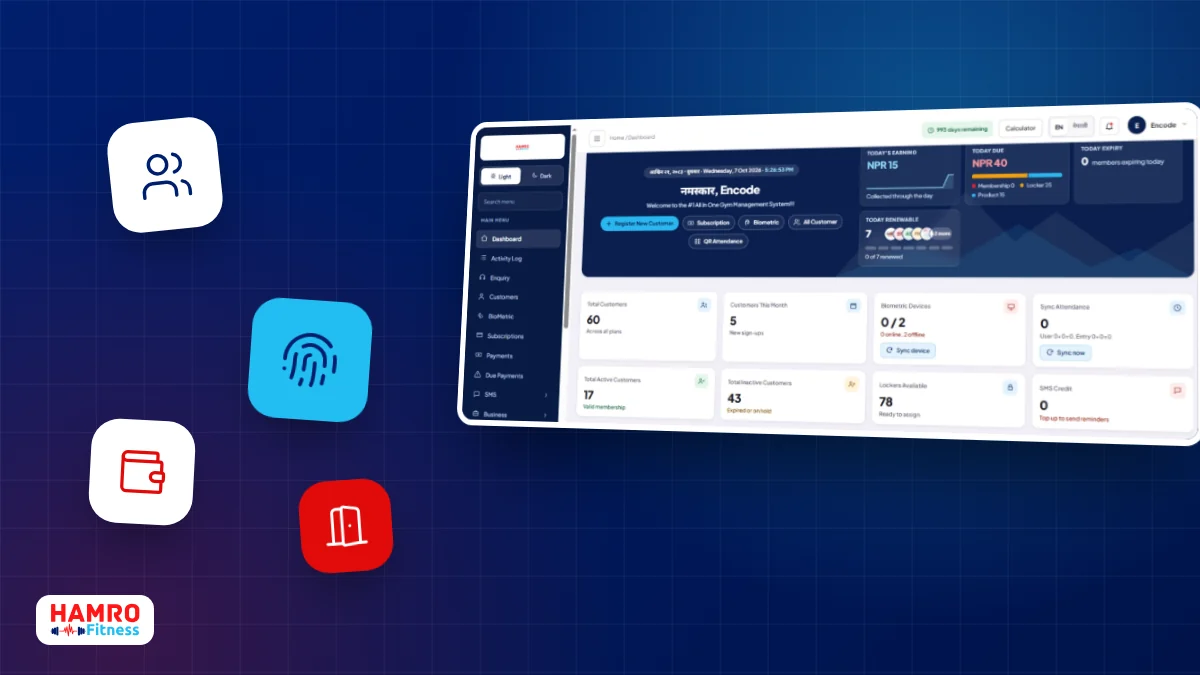
Gym management software is one system that keeps your members, memberships, attendance, payments and reports together, instead of spread across a register, a payment notebook and a biometric machine. For a gym in Nepal, the most useful setups also connect to the entrance, so check-ins are recorded automatically and expired members are stopped at the door. This guide explains what the software does, what to look for, and how to get started.
Why gyms outgrow registers and notebooks
Most gyms start the same way. Names go into an attendance register, payments go into a notebook, and a fingerprint machine sits by the door without being connected to anything. It works while the gym is small. As the member list grows, small gaps start to cost real money.
- Memberships expire and members keep training because nobody noticed.
- Dues are tracked in memory or on loose pages, and some are never collected.
- The attendance register is filled in but never checked.
- Month-end reports take hours of adding up by hand.
- The biometric device and the gym's own records never quite match.
None of these problems come from a lack of effort. They come from keeping related information in separate places. Software fixes this by putting everything about a member in one record.
What gym management software does
At its core, the software follows a member from the day they join to the day they renew. A good system covers these areas.
Members and memberships
You register a member once and keep their details, plan, start date, expiry and history in one profile. Plans are set up in advance, and renewing takes a few clicks. Our page on managing gym memberships shows how this works in HamroFitness.
Attendance
Check-ins are recorded automatically when a member uses a fingerprint, face, card, PIN or QR code. Each visit is saved against the member, so you can see who trained today and who has stopped coming.
Payments and dues
Every payment is linked to the member and the membership it pays for. You can see today's collection, today's due and each member's outstanding amount without opening a notebook.
Reports
Daily collection, earnings, dues, attendance, membership expiry, sales and staff reports can be filtered by any date range and exported to PDF or Excel.
Everything else the front desk handles
Many gyms also sell supplements and drinks, assign lockers and have several staff at the desk. HamroFitness includes inventory and product sales, locker management, and separate staff logins with roles and permissions. You can browse the full list of modules to see how they fit together.
Where biometric attendance and door access fit in
A standalone biometric machine only knows that someone pressed a finger. When the device is connected to your gym software, it also knows whether that member's membership is active, expired or due. That is what makes automatic access control possible.
With HamroFitness the flow looks like this: the member registers, the membership becomes active, the member receives a User ID or PIN, the biometric device syncs, the member enrols their face, fingerprint or card, and from then on every check-in is recorded and checked against the membership. If the membership has expired, the door stays shut until it is renewed. You can read more about this on our gym door access control page.
What makes software a good fit for a Nepali gym
Features are only part of the picture. A gym in Nepal also needs a system that suits how the business actually runs day to day.
- Local support. When a device stops working on a busy morning, you want a team that can reach you. HamroFitness has installation and support teams in all 77 districts.
- Hardware and software from one team. If one company supplies the software and another supplies the biometric device, problems tend to fall between them.
- SMS reminders. Expiry and due reminders by SMS help members renew on time without your staff calling everyone.
- Cloud backup. Your data should not live on a single computer at the front desk.
- Easy for front-desk staff. If the people at the desk find it slow, they will go back to the notebook.
If you are comparing options, our guide on how to choose gym management software in Nepal goes through the questions to ask each provider.
How to switch from manual records
Moving to software is easier when you do it in steps rather than all at once.
- List your current membership plans and prices so they can be set up in the system.
- Collect your active members' details, including start and expiry dates and any amounts they still owe.
- Decide how members will check in: biometric, card, PIN, QR, or a mix.
- Set up staff logins and decide what each role should be able to see.
- Run the new system for a few days while keeping your old records as a backup, then retire the notebook.
If you are not ready for biometric hardware yet, you can start with QR check-in and add devices and door access later. Everything stays in the same attendance records either way.
About HamroFitness
HamroFitness is gym management software made for Nepali gyms, built by Encode Nepal Pvt. Ltd., Lalitpur. It has been building gym management technology since 2011 and is used by 250+ gyms across Nepal. It combines memberships, attendance, payments, reports, biometric attendance and door access control in one platform, with one mobile app for members, owners, trainers and staff.
See it with your own gym in mind
The quickest way to judge any gym software is to watch it handle your own daily routine. Book a free demo and we will walk you through memberships, attendance, payments and door access.